
Introducing Foldsquare: the rebuilt catalog maker for Shopify with canvas editor, auto-sync & analytics

More than 10 years ago, we launched Catalog Maker on Shopify. You used it to build thousands of product catalogs. You also told us — clearly and repeatedly — what wasn’t working.
So we did something drastic: we started over.
Foldsquare is the result. It’s not an update to Catalog Maker. It’s a completely new platform, rebuilt from the ground up, with one goal: making professional catalog creation feel as effortless as it should be.
Today, we’re opening early beta access to a select group of merchants. Here’s everything that’s new.
A Canvas-Like Editor Built for Real Customization
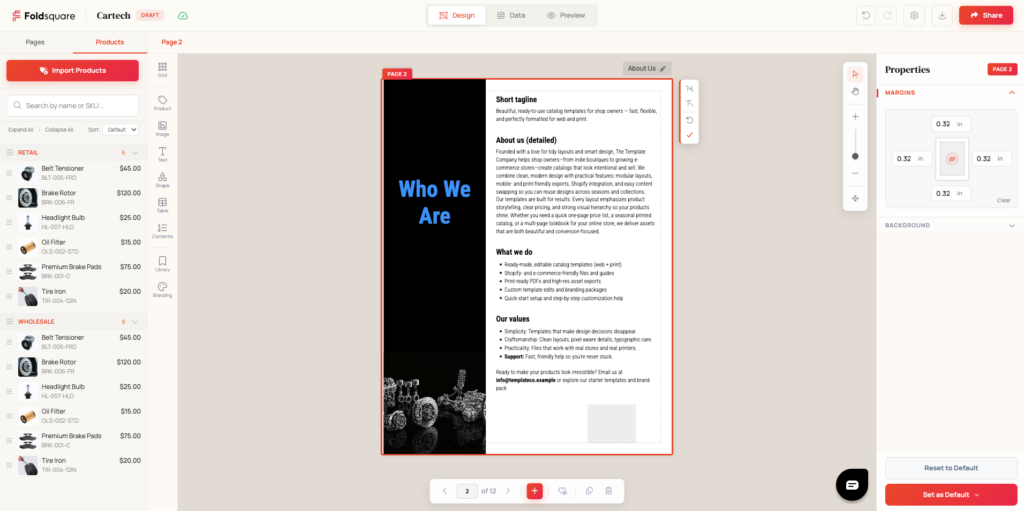
The old editor was rigid. Foldsquare’s is not.
We redesigned the entire interface around a canvas model — the kind designers expect when they open a professional tool. A three-panel layout gives you a structured workspace: your pages and products on the left, the canvas in the center, and a live properties panel on the right. Every block on every page is individually customizable — position, size, color, typography, spacing, visibility.
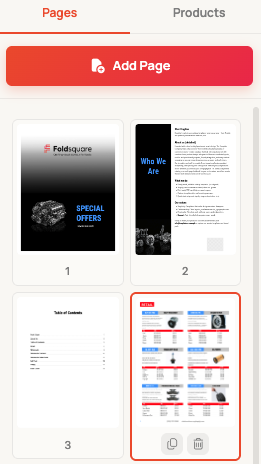
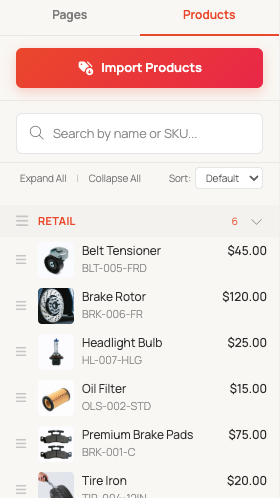
You can switch between Pages view and Products view at any time. Pages view gives you a bird’s-eye overview of your catalog and lets you reorganize pages via drag and drop. Products view shows your full inventory organized by category, also fully reorderable. Need to reshuffle your line for a seasonal push? Drag, drop, done.
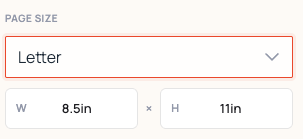
And yes — there’s auto-save, real undo/redo, and custom page formats.
Design Your Catalog Like a Professional
Foldsquare gives you the tools to build catalogs that actually represent your brand.
Branding Configurator
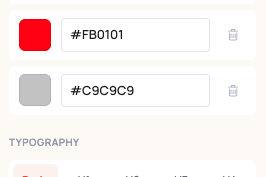
Define your brand colors and full typography hierarchy — body, H1 through H4 — once, then apply them across all your templates with a single click. No more hunting through individual elements to update a hex code.
Grid Layout
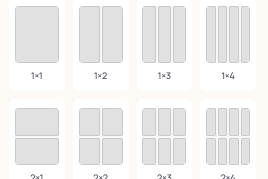
Instantly place products in clean, consistent arrangements with preset grid options from 1×1 through 5×5, or set fully custom row and column counts. Great for dense wholesale sheets, elegant lookbooks, or anything in between.
Shapes & Drawings
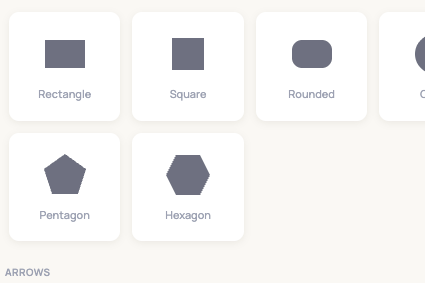
A new shapes library adds rectangles, circles, arrows, chevrons, stars, banners, and decorative elements to your design toolkit. Add visual emphasis, callouts, or structural elements directly on the canvas.
Block Library
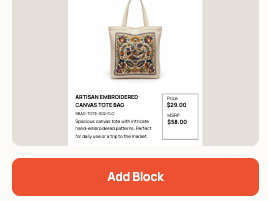
Save any design block — a product layout, a highlighted callout — and reuse it across pages or across catalogs entirely. Tag your blocks, search them, and drop them anywhere. Build once, reuse forever.
Product Design Editor
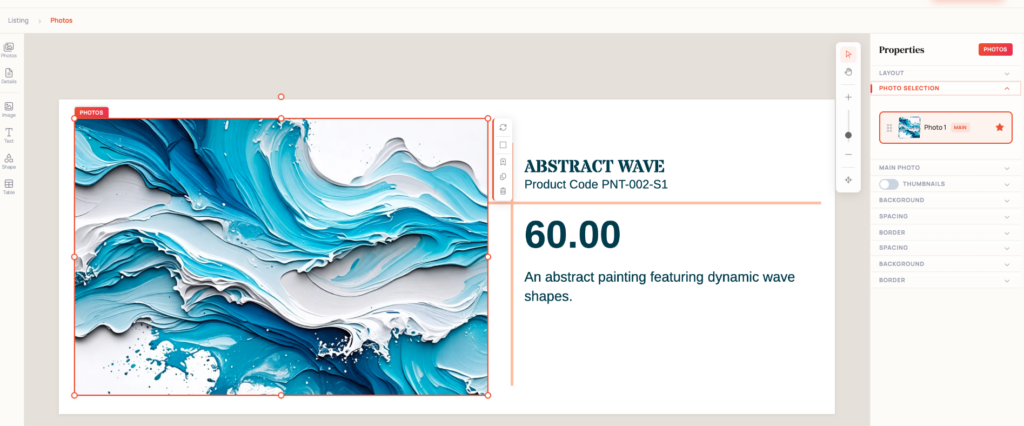
Customize the appearance of each individual product card: background, layout, field visibility, typography. Pair it with the Branding Configurator and your catalog will look like it was built by a design agency.
Page Favorites
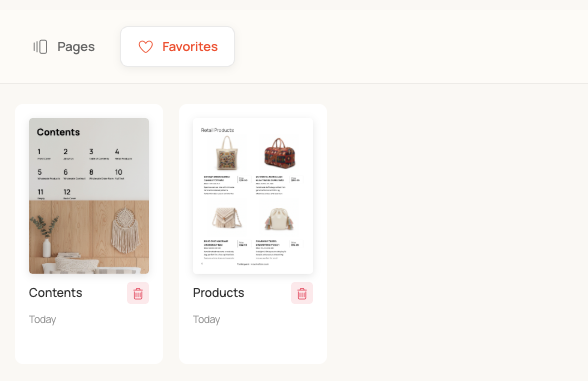
Save page designs you want to reuse to a Favorites collection. Switch between Pages and Favorites in the left panel and add any saved design to your current catalog instantly.
Your Catalog Stays in Sync With Your Store
One of the biggest pain points in the old app was stale data. You’d update a price or mark something out of stock, and the catalog wouldn’t reflect it.
Foldsquare fixes this with auto-sync. Changes made in your online store — price updates, inventory changes, new products — automatically flow into your catalog.
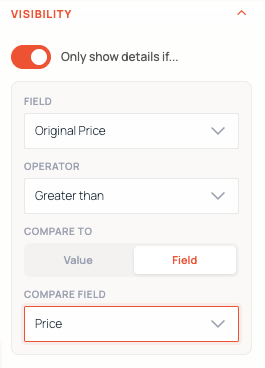
On top of that, conditional visibility rules let you show or hide any element based on product data. Want to automatically surface a “Sale” badge only when a product’s original price is greater than its current price? Configure the condition, toggle it on, and Foldsquare handles the rest. No manual updates. No stale layouts.
A Table of Contents That Actually Looks Good
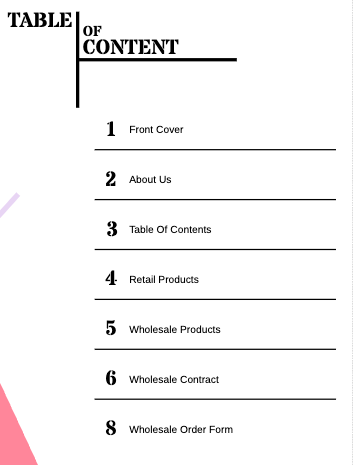
Foldsquare includes a redesigned Table of Contents block with multiple layout styles — from a clean editorial list to a bold typographic grid. It auto-generates from your page structure and updates as you build.
New Flipbook Experience
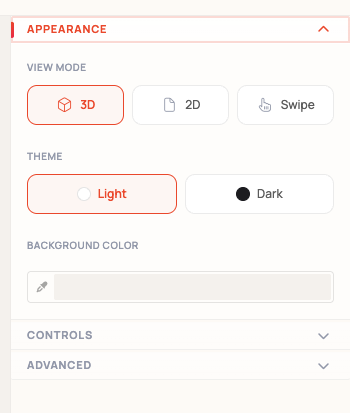
Foldsquare catalogs publish as interactive 3D flipbooks. Readers can flip through pages, zoom in, and click directly through to products.
The publish panel includes full appearance controls:
- View modes: Choose between 3D flip, 2D scroll, or swipe
- Theme: Light or dark
- Background color: Fully customizable
- Password protection: Lock catalogs for private distribution
- Search engine visibility: Let Google index your public catalogs
- Product click behavior: Open in store, quick view, or cart
- Real Shopify checkout: B2B buyers can place orders directly from the catalog
All of this lives in a redesigned Publish & Share panel with a live 3D preview so you see exactly what your readers will experience before you hit publish.
Catalog Analytics
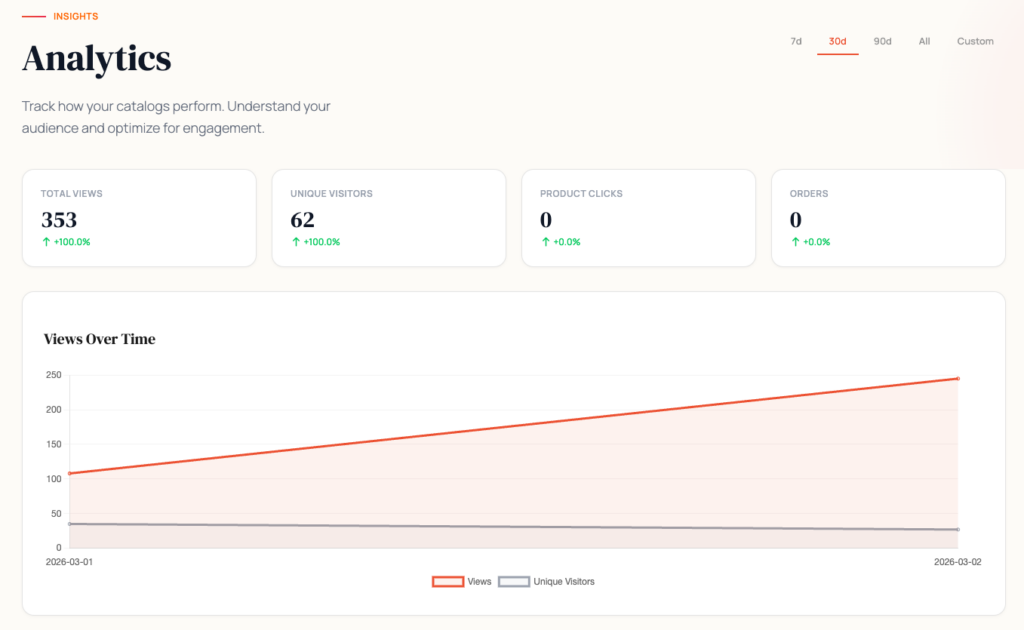
Foldsquare includes a built-in Analytics dashboard. Track total views, unique visitors, product clicks, and orders — with 7-day, 30-day, 60-day, 90-day, and custom date range options. Understand which catalogs are performing, which products are getting attention, and where visitors drop off.
This is data that used to require a third-party integration or a lot of guesswork. Now it’s built in.
New Professional Templates
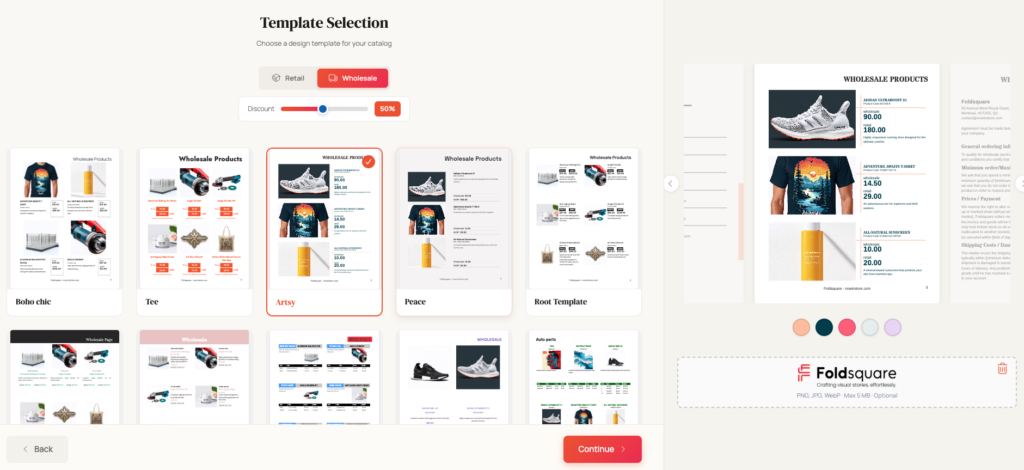
We’ve added a new collection of retail and wholesale templates — Boho Chic, Ice, Artes, Peace, and more — designed to look polished out of the box. A template configurator lets you adapt any template to your brand before you even start editing. Pick a template, apply your branding, start filling in products.
What’s Coming Next
Foldsquare is in active beta. Everything above is live and ready for you to try. See what we shipped in April 2026 → On the horizon:
- AI-powered catalog descriptions — generate a short description adapted to the catalog
Join the Beta
We’re inviting a small group of existing Catalog Maker users first. Beta access includes a direct line to the founding team, early pricing, and real influence over what gets built next.
Your existing Catalog Maker access stays exactly the same — you can try Foldsquare alongside it and switch back anytime.
— The Foldsquare Team